Cognitive Offloading · Externalized Memory
Cyclops
An outward-facing laptop camera that reads the lecture board as copyable text.
- Year
- 2026
- Role
- Solo — enclosure design, macOS app
- Status
- Working prototype — used in lectures
TL;DR
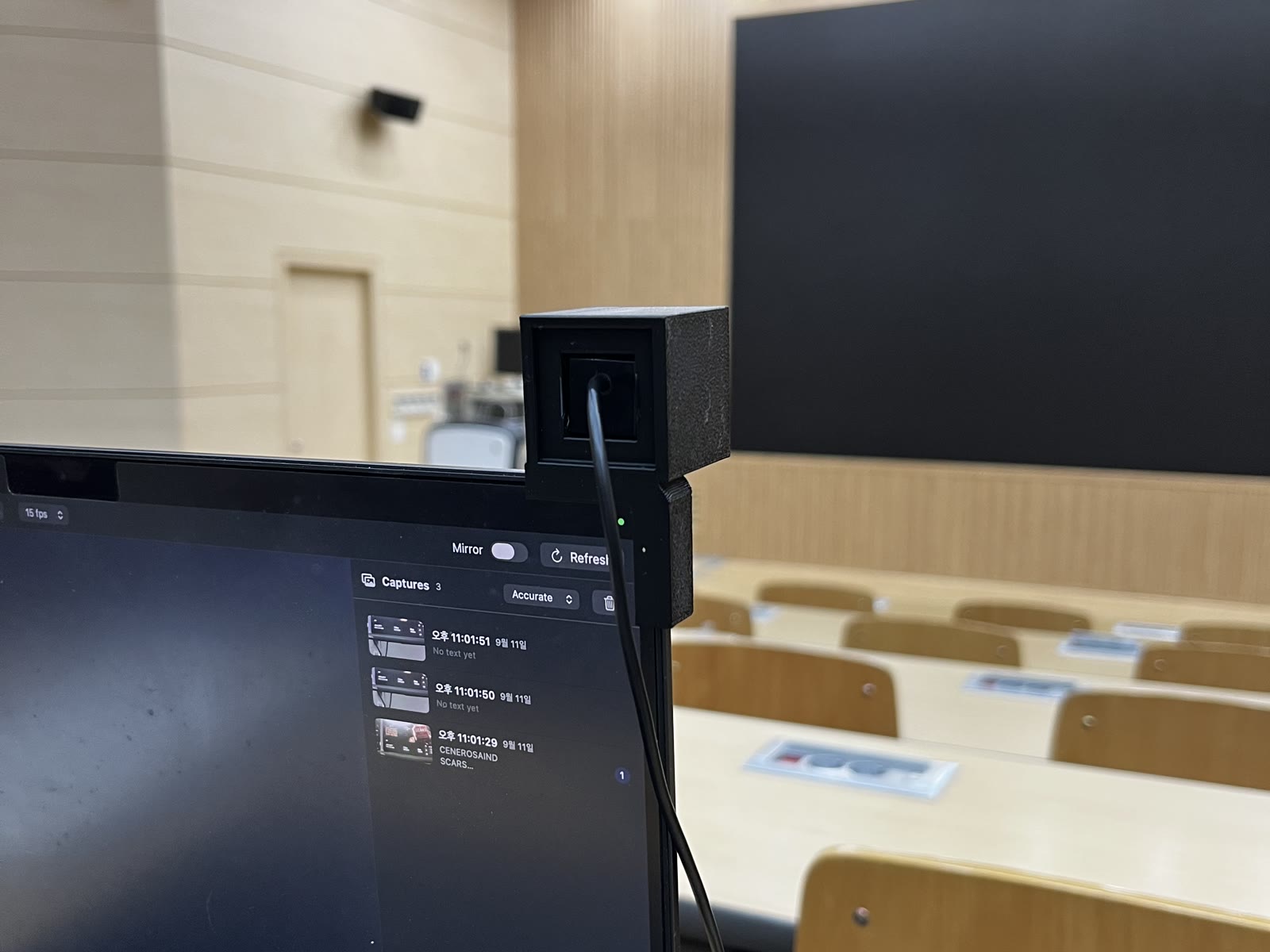
Cyclops gives a laptop a second camera that faces the lecture hall, not the person typing. A 3D-printed cube clips to the lid, and a macOS app shows the board live, keeps every capture beside your notes, and turns any part of the board into copyable text with one drag.
What can you do with it?
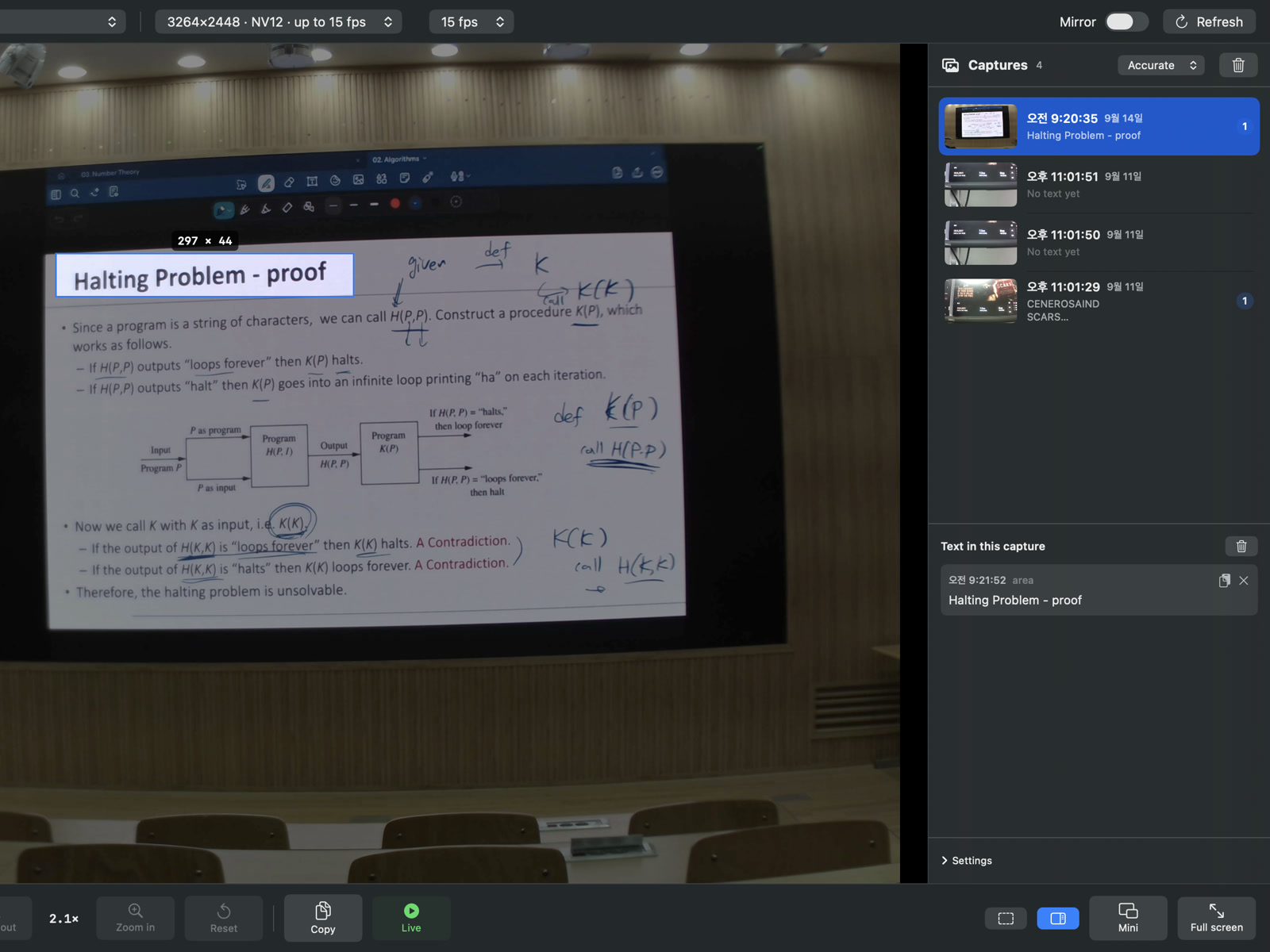
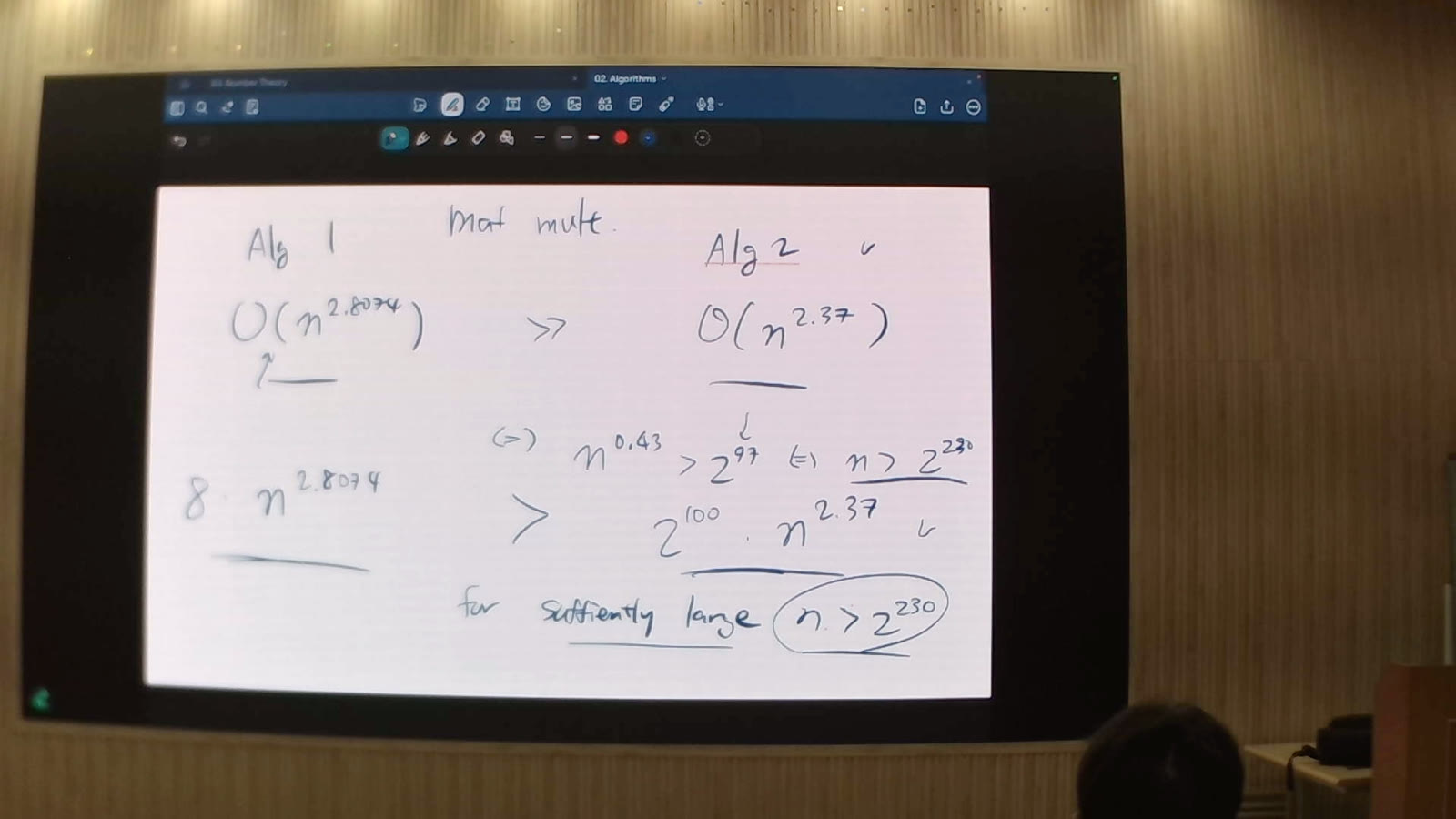
Capture the front of the room, zoom where you want, and turn what is on the board into text.
- Capture what is in front of you — point the camera at the front of the room and capture whatever you want.
- Drag to turn it into text — drag over a captured image, and the content in that area becomes text through OCR.
- Zoom anywhere — zoom into any area you choose, not only the centre of the picture.
Why it matters
Professors write out difficult equations, or show pages that are not in the slides they share.
- No more picking up a phone to photograph the board, or scrambling to copy it down.
- Copying a slide by hand splits attention between listening and transcribing.
- Putting capture and text extraction inside the laptop makes the board part of the note-taking workspace — the copying is offloaded, so attention stays on the lecture.
How it works
A printed mount gives the laptop an outward-facing eye; the app turns what it sees into images and text.
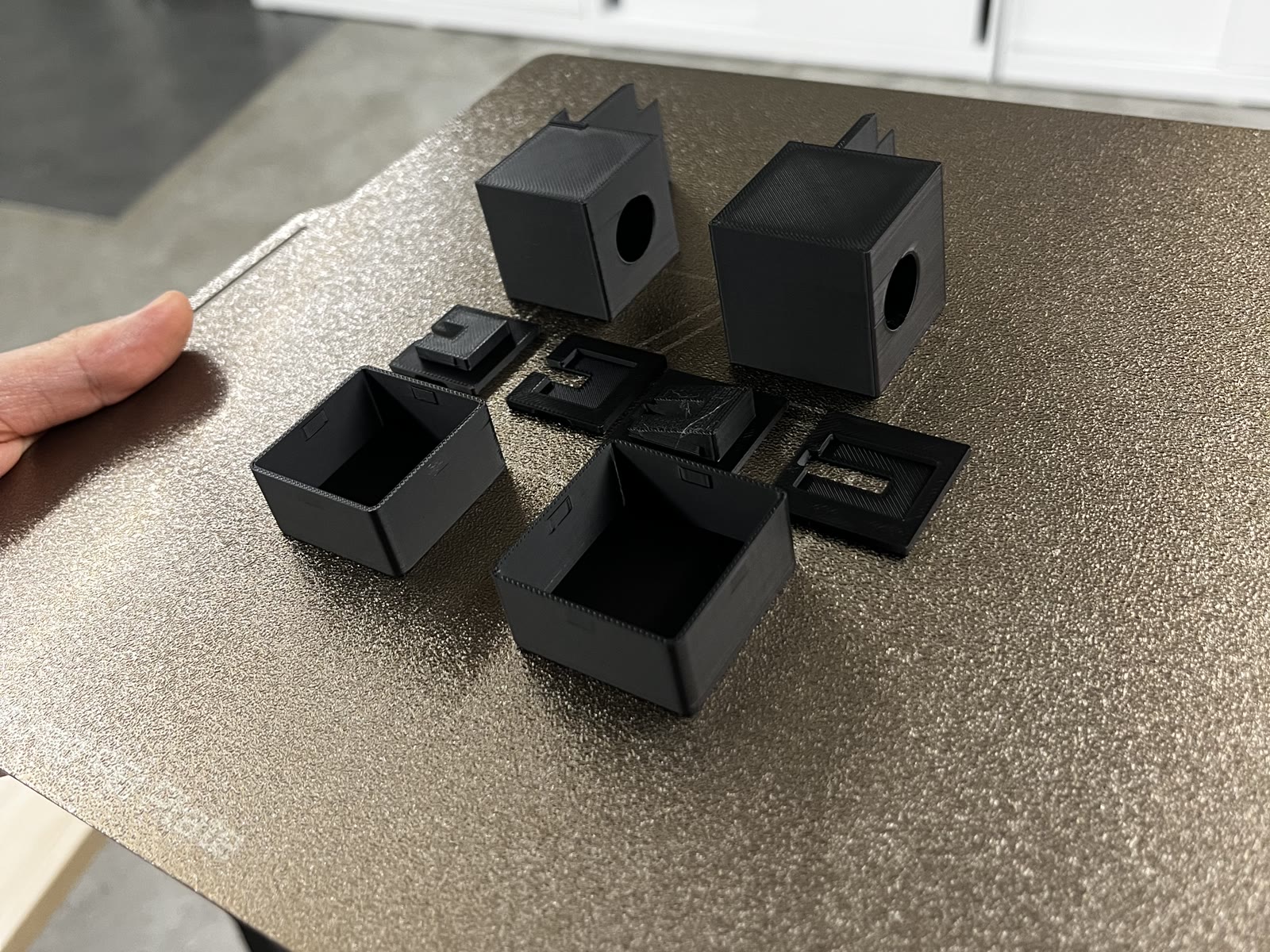
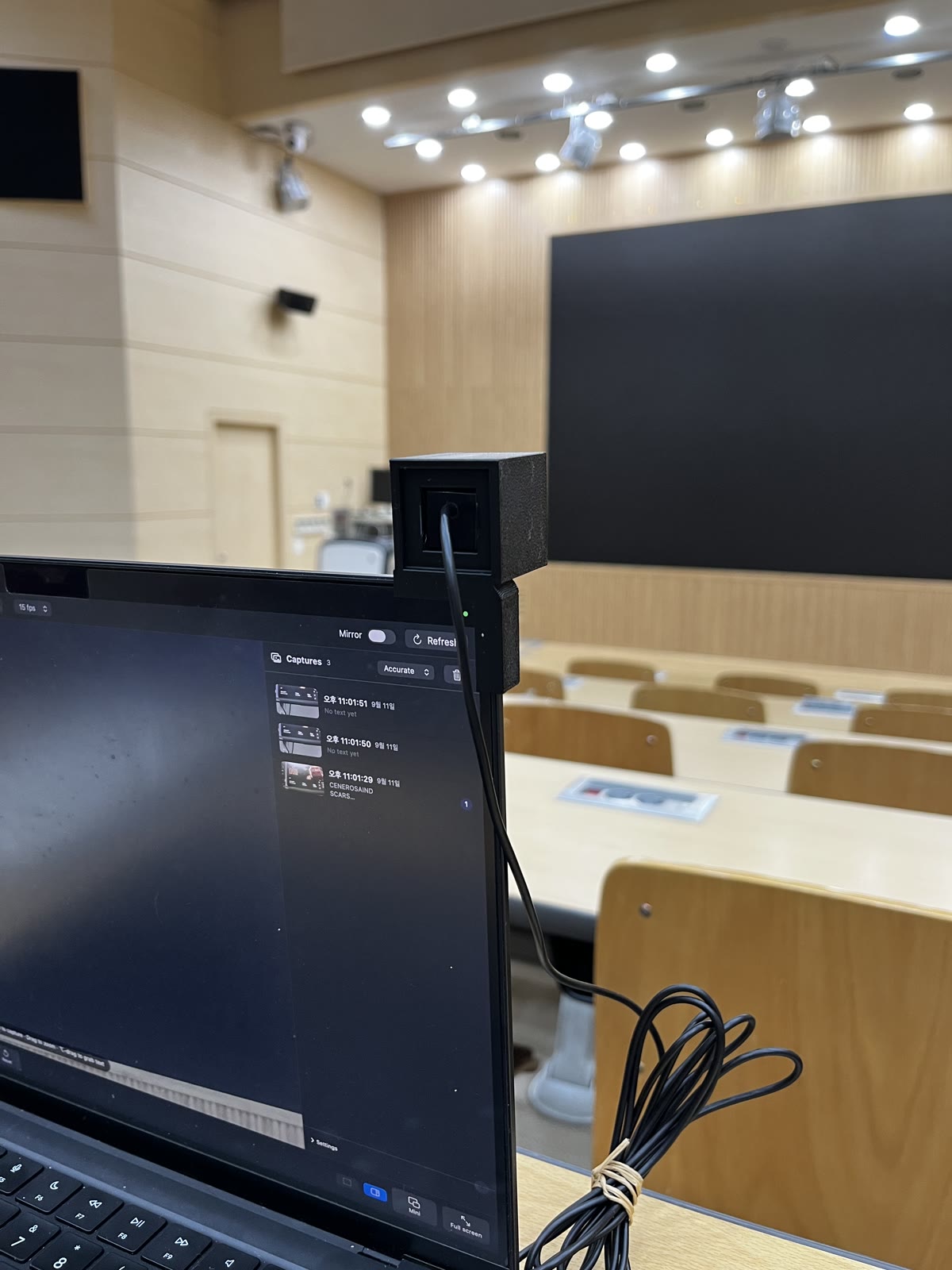
- Mount — a 30 mm PETG cube clips to the corner of the lid, behind the screen, and holds a USB camera looking forward, toward the front of the room.
- Capture — capture whatever you want on screen during the lecture, and copy it to the clipboard.
- Read the text — drag over any area to read the text in it with Apple Vision OCR. It reads most text well; complex equations are still beyond it.
Applications
- Meetings and workshops — copy what is written on a whiteboard straight into notes.
- Accessibility — students with low vision, or seated far back, can zoom into the board and read it on their own screen.
- Lectures and seminars — capture slides and whiteboards from any seat.
Future directions
- Slides that build themselves — capture automatically whenever the screen changes, and assemble the captures into a slide deck.
- Crop like a scanner app — detect the screen's rectangle and straighten it automatically, so every capture looks like the original slide.
- Search a recording — the app already records video; search it for a word and jump to the moment it appeared.
- A camera that earns trust — a small camera could be misused by someone with bad intentions, and a plain black box looks suspicious. The friendlier logo was a first step; the next is a body closer to a keyring than a surveillance device.
Behind the project — how it started and how it changed
What is new
A camera that faces the room, not you.
A 30 mm printed cube clips onto the corner of a MacBook lid and points a USB camera at the front of the hall. Two parts. No hinge, no screws.
The board, legible from the back row.
The camera streams 3264×2448, and zoom crops the sensor rather than scaling the picture — zooming in never costs resolution.
Drag over the board, and it is text.
⌥-drag on the live picture captures the frame, reads that area at full resolution in Korean and English, and puts the text on the clipboard.
The problem
In a lecture hall the slide is at the far end of the room, and the only camera on my laptop points at me. Photographing the board means picking up a phone, and the photo then lives somewhere other than my notes.
Cyclops is two halves built together: a printed mount that gives the laptop an outward-facing eye, and a macOS app that turns what that eye sees into captures and text without leaving the window I am writing in.
How it changed
Each version below exists because the one before it was wrong about something specific.
- v1–v3retired
Three mounts, each with the camera in the wrong place
- Why
- The camera had to move with the lid, aim at the front of the room, and survive being packed into a bag every day.
- Change
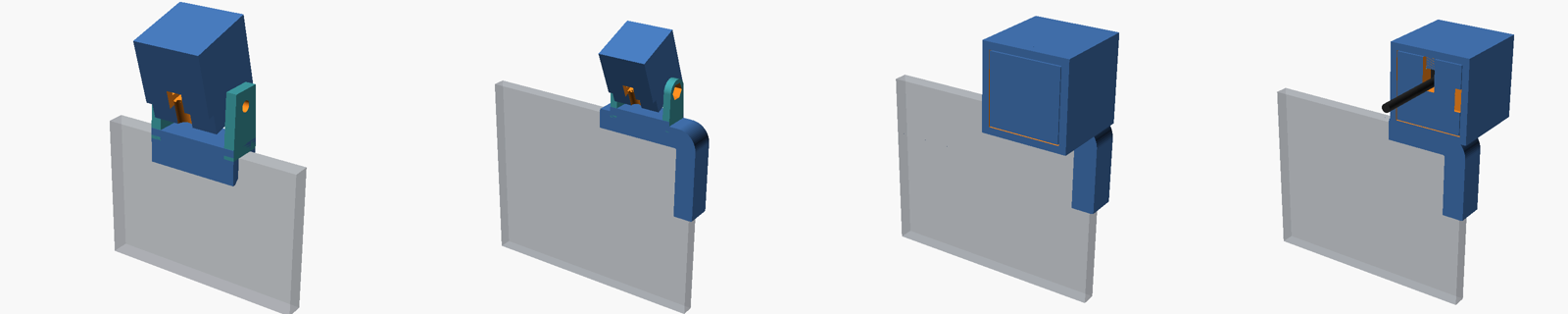
- First a clip over the top edge with the camera on a hinged yoke. Then the same hinge moved to the corner of the lid. Then the hinge went, and the camera sat in a 30 mm cube printed at a fixed angle.
- Result
- The third one was close, but the cube sat on the screen side of the lid, over the corner of the display I was trying to take notes on.
Left to right: top edge with hinge, corner with hinge, cube in front of the screen, cube behind it. Rendered from the archived OpenSCAD sources. - v4
Push the cube behind the lid
- Why
- The cube belonged on the room's side of the lid, not over my screen.
- Change
- The cube now sits flush with the screen-side plate and projects toward the back. The camera body hides inside it and only the lens barrel comes out. Angle is set by tilting the lid, with a 15° variant for a lid laid further back. A printed thickness gauge and a fit block come first, so the clip is sized to the actual lid and the actual camera before the full part is printed. A pocket sleeve covers the lens and winds the 2 m cable in eleven turns.
- Result
- From the seat you see one hatch outline and a cable. The whole thing is two printed parts, no support material, and it has been in my bag for lectures since.
The software: a capture is what you saw
The app keeps the live picture on the left and every capture in a panel on the right, each with the text read from it. A mini window stays on top beside my notes, so a capture or a ⌥-drag never means switching apps.
Most of the work was making the picture honest. The first captures came out visibly tighter than the preview, because the crop used the zoom region while the window was showing more of the frame above and below it — captures now crop to exactly what is on screen. The resolution picker did nothing at all at first: macOS resets the camera to 1920×1080 on every reconfiguration, so the chosen format has to be reapplied each time.
Text recognition always runs on the full-resolution capture, never the scaled image on screen. Zoom decides what is captured; it never decides how sharp the text is.
Built with
- Swift
- SwiftUI
- AVFoundation
- Vision (OCR)
- OpenSCAD
- 3D printing (PETG)