Externalized Memory · Cognitive Offloading
Stash
A Chrome capture tool that turns what you save into knowledge — ask an LLM across it and draw out insight.
- Year
- 2026~now
- Role
- Solo — extension, web app, retrieval pipeline
- Status
- Live — Chrome extension and web app
TL;DR
Stash is a Chrome extension and web app that turns what you save into a knowledge base. Every capture is read, described and tagged by AI as it is saved, and you can ask the whole library a question — the answer cites the captures it came from.
What can you do with it?
Capture from anywhere, find it again, and ask it questions.
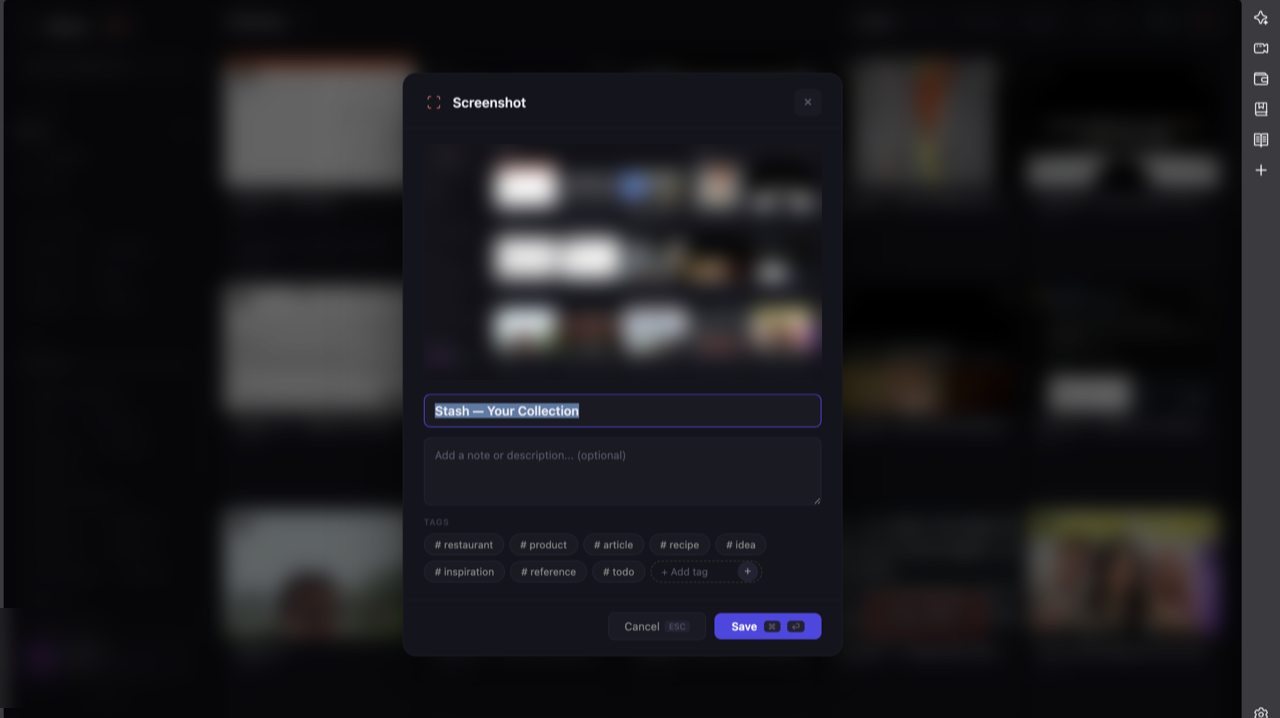
- Capture anything — a region, a full page, an image, selected text or a whole Instagram carousel, with extractors for Instagram, X, LinkedIn, Threads, Reddit, Facebook and YouTube.
- Saved already organised — each capture gets a title, a description, a category, tags and the text in the image, written by AI.
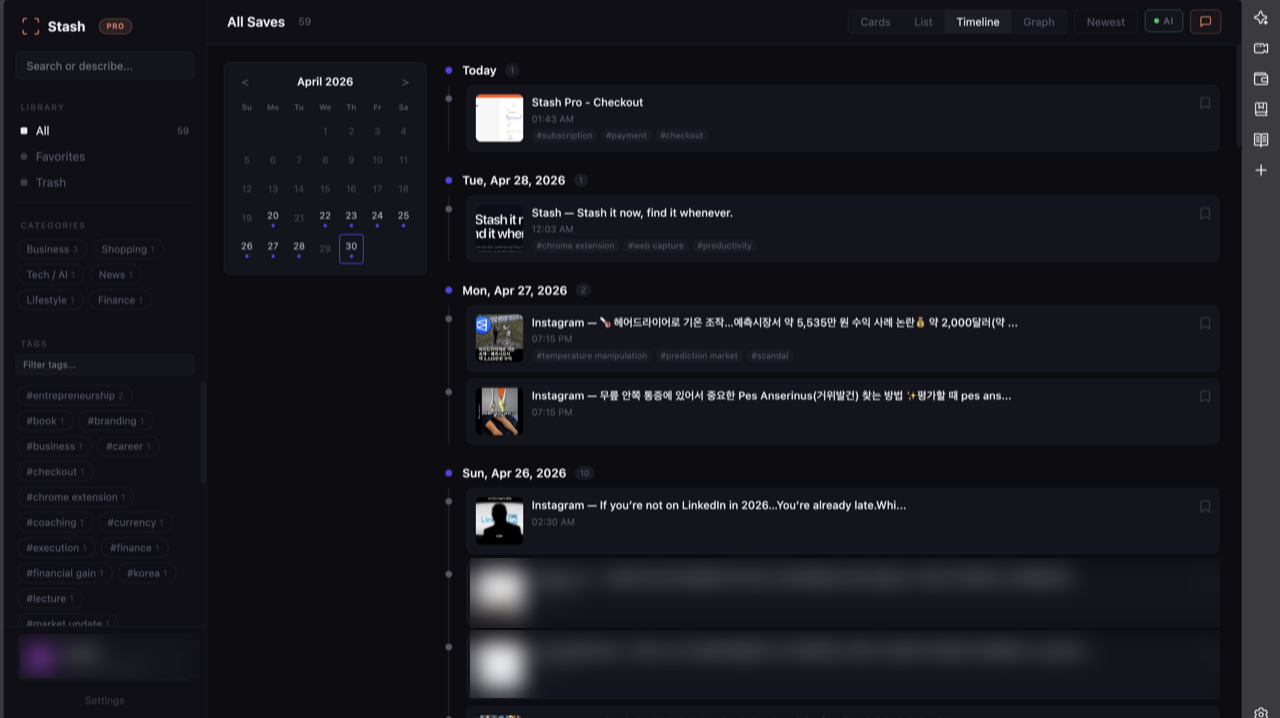
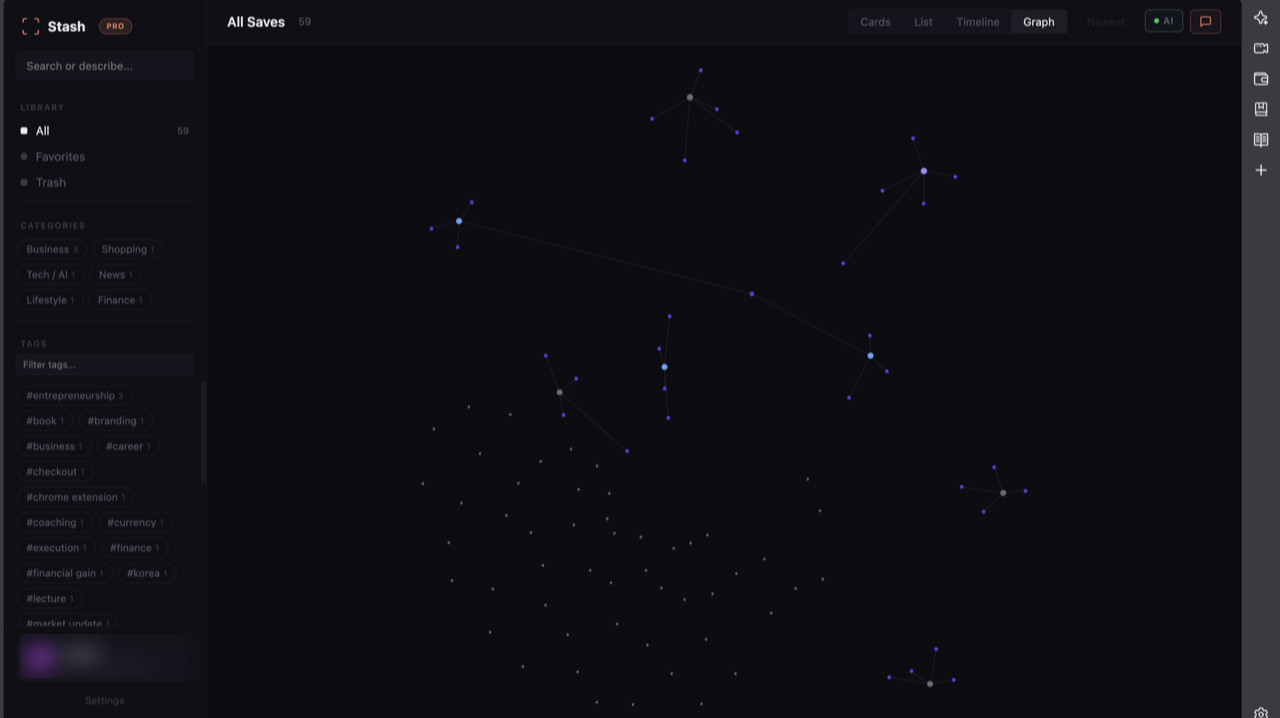
- Browse it your way — cards, a list, a timeline, and a graph of how captures connect through their tags.
- Ask your library — chat with everything you saved. Each answer cites the captures it used, and the web is searched only when your library has no answer.
Why it matters
Saving is easy now. Finding it again is not — a screenshot is pixels in a folder, and after a few thousand of them, saving something is the same as losing it.
- Useful things arrive from everywhere — Instagram, LinkedIn, YouTube, X, a blog — and end up scattered across apps.
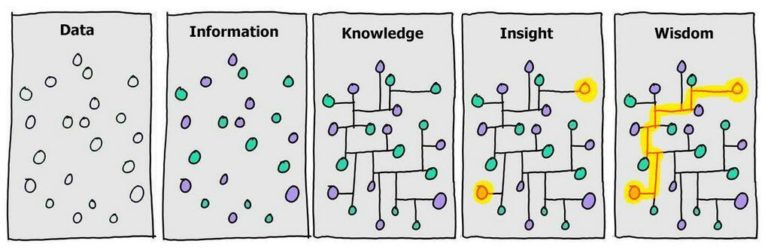
- Stash moves each capture up a step: from data to information when it is read and tagged, to knowledge when it is connected to the rest, and to insight when a question is answered across everything saved.
How it works
Five steps, from a capture to an answer.
- Capture — the extension grabs the page or image and saves it in the browser first, so nothing is lost if the network drops.
- Enrich — a vision model reads the text in the image and the page's metadata, then writes the title, description, category and tags.
- Embed — each capture becomes a vector in Postgres, so it can be found by meaning, not only by keyword.
- Retrieve — a smaller library goes into the prompt whole. For a large library (over 200 captures, on Pro), the question is embedded and the 40 closest captures, plus the 10 most recent, are used.
- Answer with citations — the model answers from the library first and cites every capture it used. Only when the library has no answer does it search the web.
Implementation details
- A Manifest V3 Chrome extension and a React + TypeScript web app, on Supabase: Postgres with pgvector, and edge functions for enrichment, embedding and chat.
- Models are chosen per task from a routing table, with a fallback chain across OpenAI, Anthropic and xAI.
- Five layers guard the chat: rate limits, usage quotas, caps on turns and input size, a scoped system prompt, and a check-and-repair pass on every answer.
- Captures that lost their embedding are backfilled by a job that runs every minute.
Applications
- Research and study — collect sources from across the web and ask them questions.
- Creators and marketers — keep a swipe file of posts, and find the patterns in it.
- A personal knowledge base — everything worth keeping, in one place, and answerable.
Future directions
- Measure retrieval quality — build an evaluation set and check the answers, which the project lists as not yet verified.
- Sharper retrieval — reranking, filtering by metadata before the search, and tuning the similarity threshold.
- More places to capture from — TikTok, Stories, and a share sheet on mobile.
Behind the project — how it started and how it changed
The problem
Useful things arrive from everywhere now — Instagram, LinkedIn, YouTube, X, a random blog — so I got into the habit of screenshotting anything worth keeping. The habit worked. The retrieval did not. A screenshot is a dead end: it is pixels in a folder, and once there are a few thousand of them, saving something is indistinguishable from losing it.
Stash makes a capture into a record instead of an image. A vision model reads the text in the picture, analyses it, and pulls the page's own metadata, then uses that to enrich, tag and categorise the item automatically. Everything saved is ingested into a retrieval pipeline, so you can ask your own library a question in plain language instead of scrolling it.
The name comes from `git stash` — set something aside without losing your place, and come back for it when you are ready.
How it changed
Each version below exists because the one before it was wrong about something specific.
- v1
Put the whole library in the prompt
- Why
- The first version of asking your library a question was the simplest one that could work.
- Change
- Inject the full set of captures into the model's context and let a long-context model do the retrieval itself.
- Result
- Excellent answers, and completely unaffordable past a few hundred items. Accuracy was never the constraint — cost and context length were, and both scale with exactly the thing the product is designed to accumulate.
- v2
Hybrid retrieval that switches on library size
- Why
- Small libraries genuinely are best served by full-context injection. Large ones cannot be. The product needs both without asking the user which.
- Change
- Built a hybrid RAG layer that switches between long-context injection and semantic embedding search based on library size, plus four server-enforced defence layers — rate limiting, quota, per-request caps and scope enforcement — so the assistant stays bounded and stays inside the user's own collage.
- Result
- Retrieval quality holds as the library grows, and cost stops tracking library size. The defence layers exist because an open chat box over an LLM is otherwise a free ChatGPT with my API key attached.
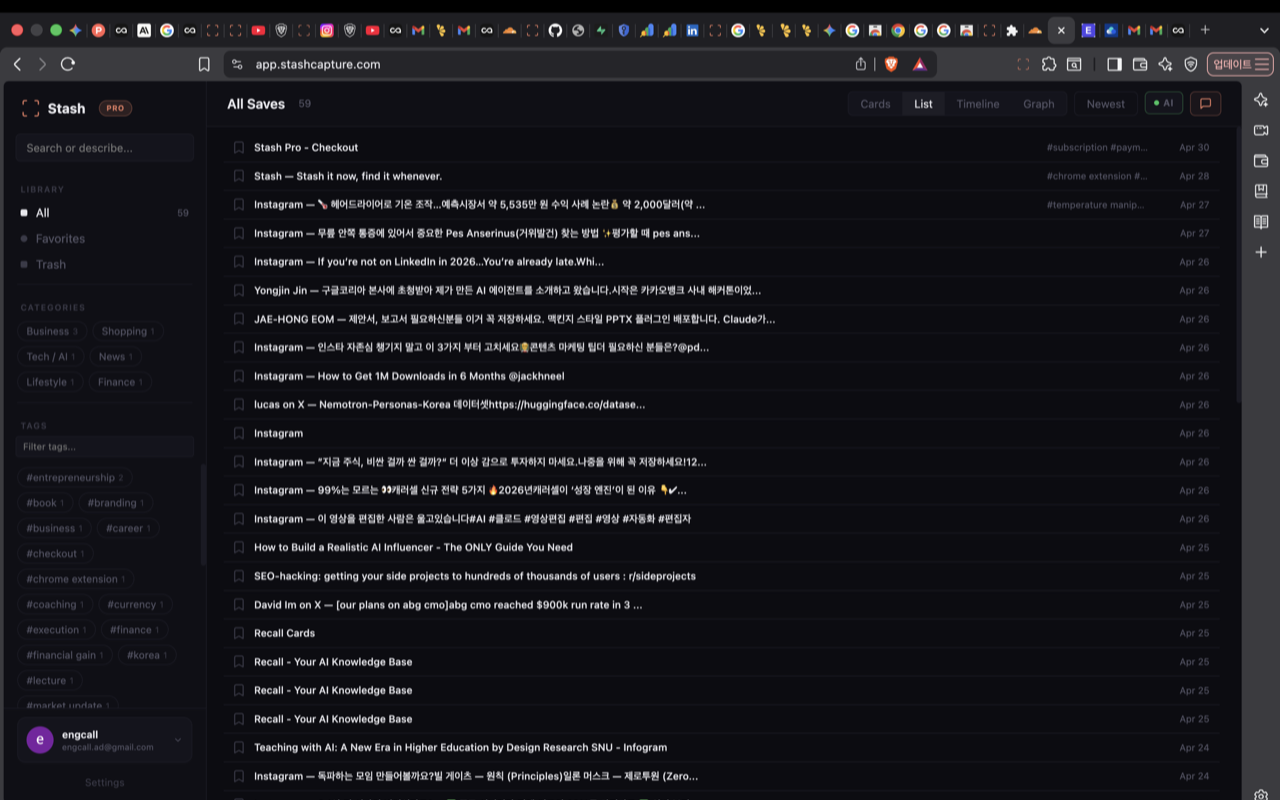
The same library, dense view.
From captures to something you own
The goal was never a better bookmark manager. It is that the gap between data and knowledge is retrieval — a capture you cannot find is worth exactly as much as one you never made.
Built with
- React
- TypeScript
- Chrome Extension
- Supabase
- pgvector
- LLMs (OpenAI, Anthropic, xAI)
- Vision model
- RAG
Deep dives
Individual pieces of this project, written up on their own.
AI Chat — Hybrid RAG →
How users retrieve insights from their saved captures. A hybrid RAG system that automatically switches between Long Context (full library injection) and semantic embedding search based on library size — optimizing for both accuracy and cost.
Defense Layers →
How I prevent AI Chat from becoming a free ChatGPT. 4 server-enforced layers — rate limiting, quota, per-request caps, and scope enforcement — to keep LLM token costs bounded and conversations within the user's collage.
.overlay Is Not Yours →
Why common class names are a silent attack surface for injected UI. A content-script modal that rendered fine everywhere except Brave — and the CSS cascade-origin rule that explains why Shadow DOM isn't the fortress you think it is.