Externalized Memory · Cognitive Offloading
Label
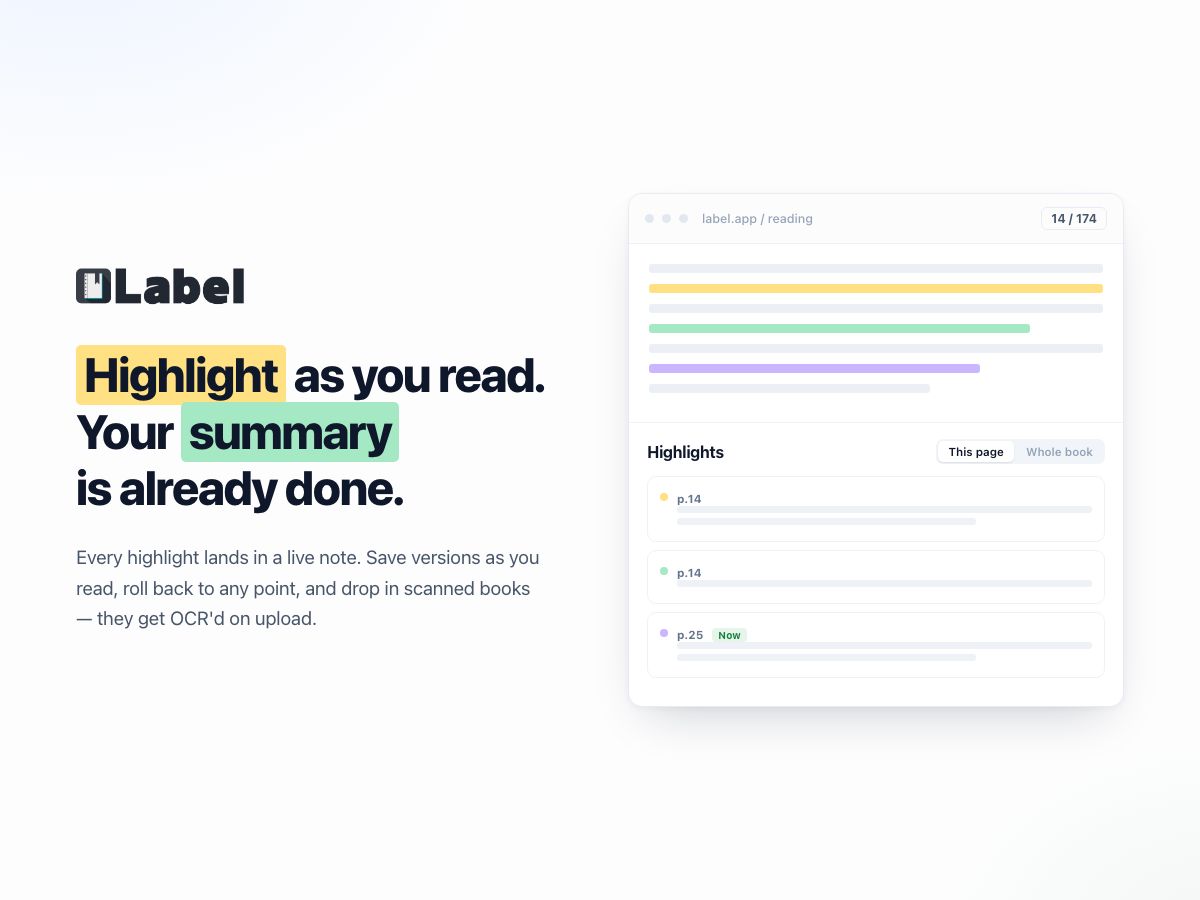
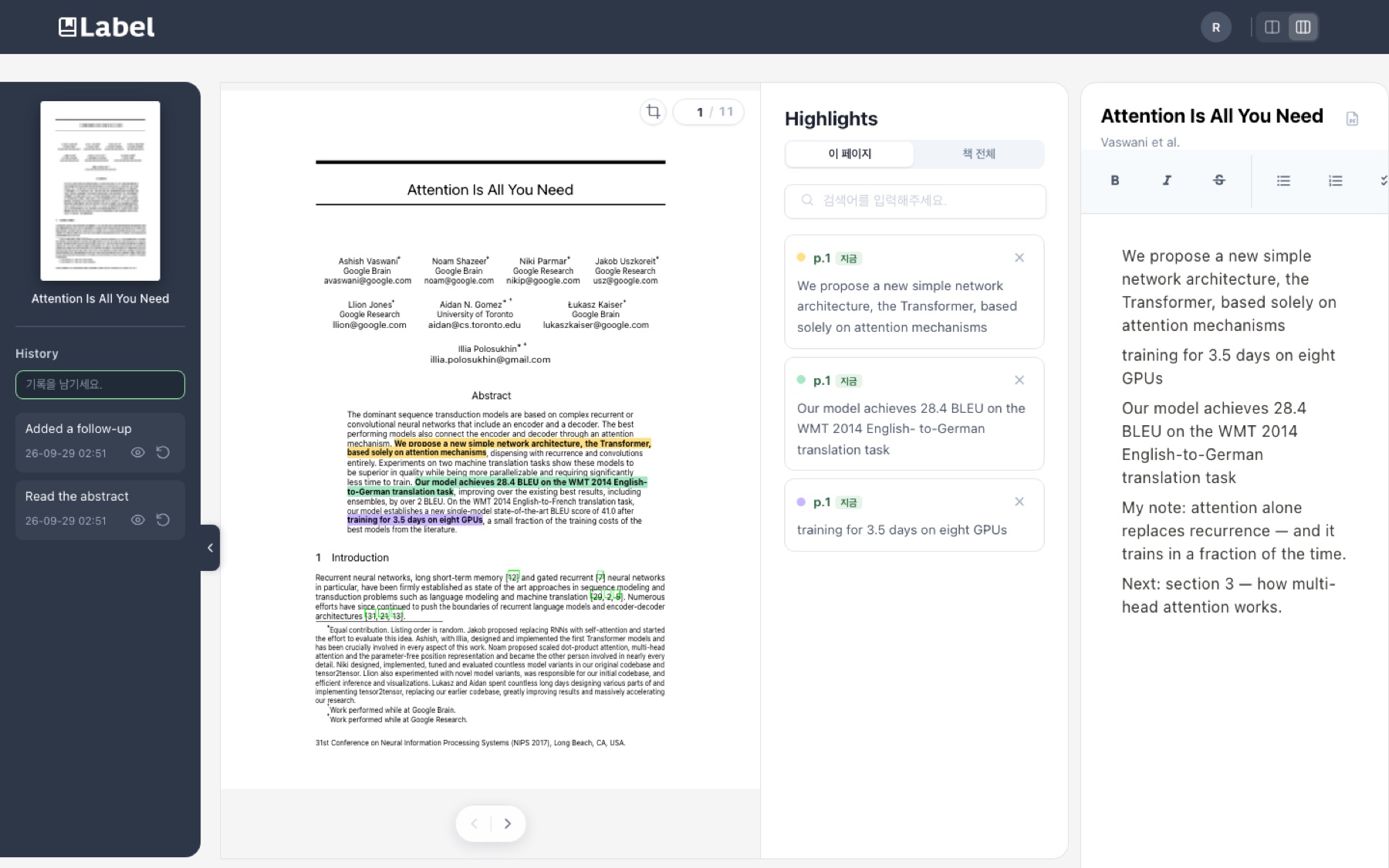
Your highlights consolidate into a note automatically — then you edit it right in the editor.
- Year
- 2022
- Role
- Solo — reading pipeline, API, editor sync
- Status
- Rebuilt in 2026
TL;DR
Label lets you highlight as you read and collects every highlight into a note automatically, so the summary is already written when you finish. The note is editable right beside the book, and scanned books work too.
What can you do with it?
Read, highlight, and finish with a note that is already written.
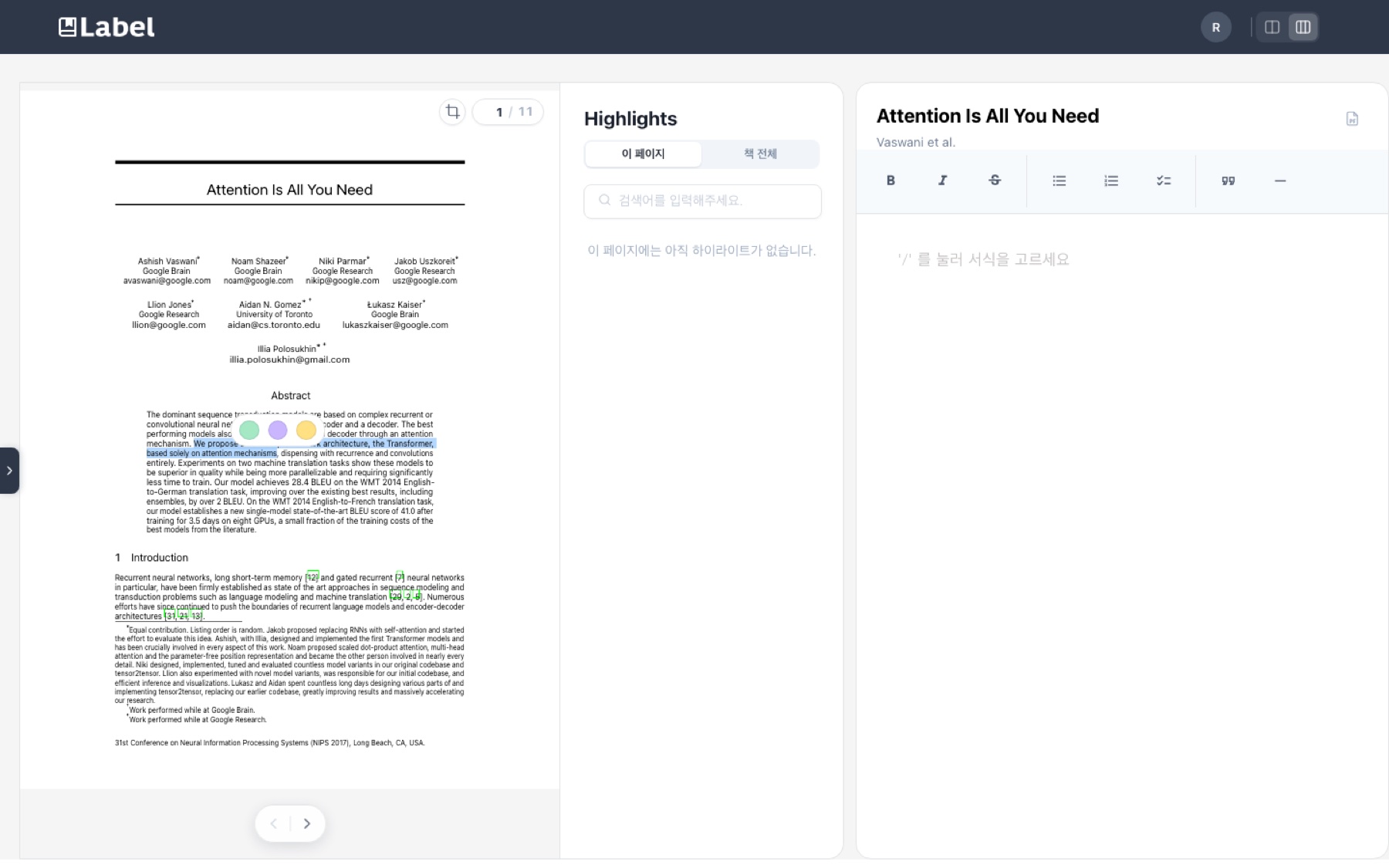
- Highlight while reading — drag across a sentence in the browser and pick a colour.
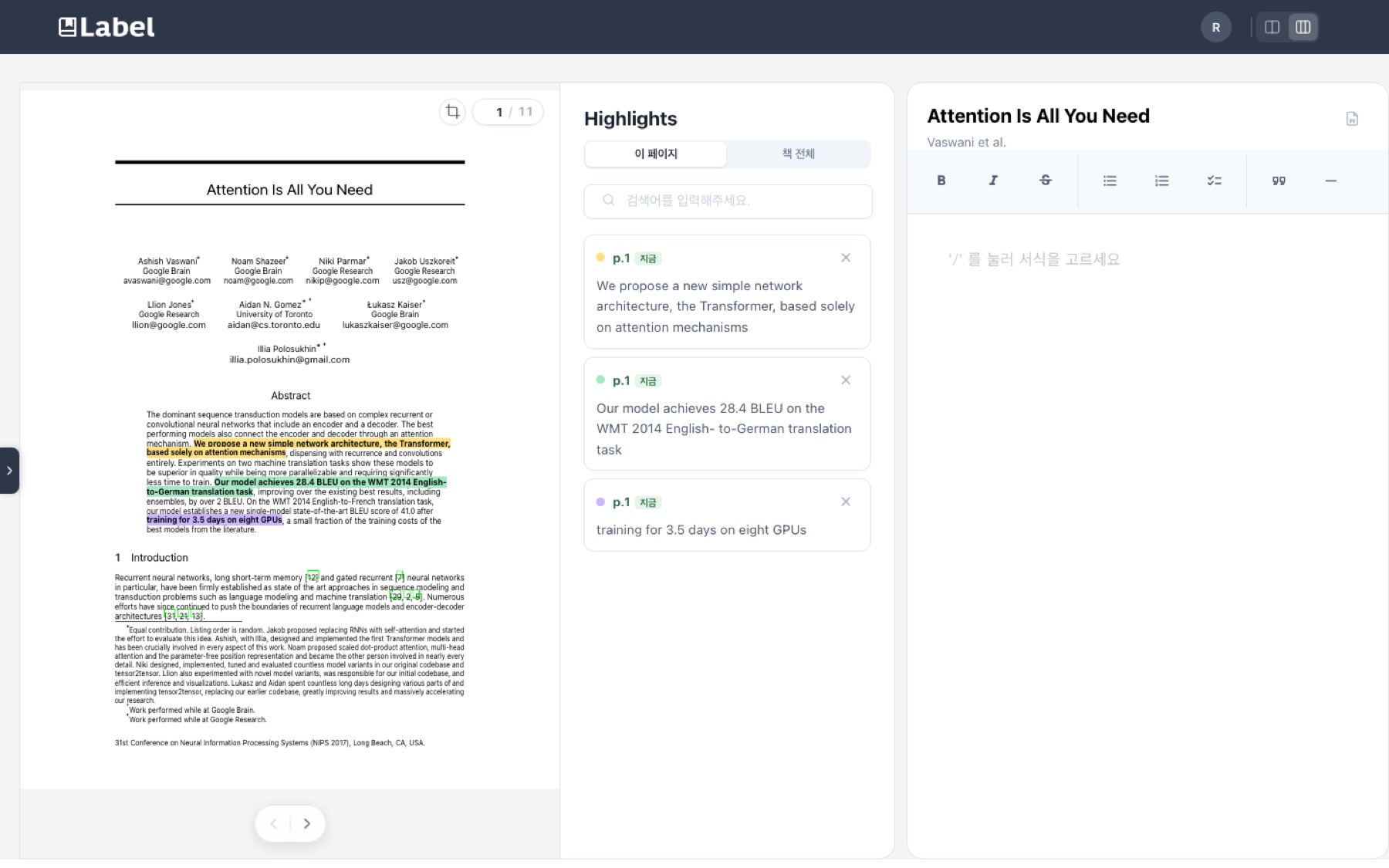
- Get the note automatically — every highlight lands in a live note beside the book, page by page.
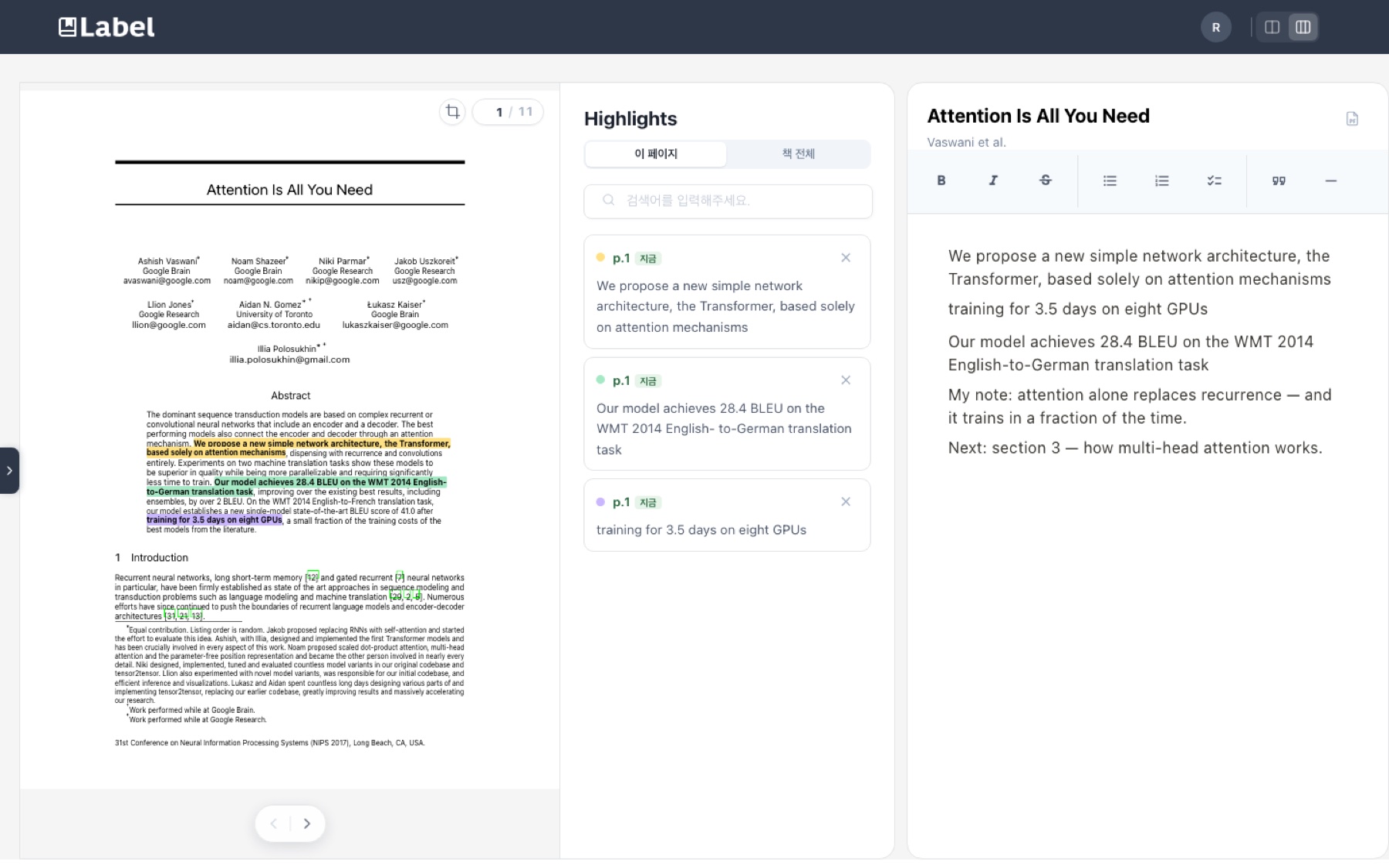
- Edit it in place — drag highlights into the editor, paste images, and write around them.
- Go back in time — save versions as you read and roll back to any earlier point.
- Read scanned books — scans are read with OCR on upload, so their text can be highlighted like any other.
Why it matters
Reading and writing up what you learned are usually two separate jobs — and the second starts from a blank page, days later.
- By then the reasons you underlined something are gone.
- Stopping at every line to type breaks the thread of the book.
- Collecting highlights as you go makes the note a by-product of reading, not extra work.
How it works
Five steps, from a PDF to a finished set of notes.
- Upload a PDF — scanned books are detected and read with OCR automatically, so every page has text you can select.
- Highlight while reading — each highlight goes straight into the highlight list with its page. Part of a page can be captured as an image too, for figures and equations.
- Build your own notes — drag highlights from the list into the editor, and write around them.
- Condense a book, fast — everything worth keeping from a book ends up in one note, without copying it out by hand.
- Manage notes like Git — save a version as you go, and view or roll back to any of them.
Applications
- Students — turn course reading into study notes while reading.
- Researchers — collect quotes from papers, each with its page.
- Personal reading — keep a summary of every book you read.
Future directions
- Summaries from highlights — draft a chapter summary from its highlights, ready to edit.
- Fix OCR mistakes — a highlighted sentence from a scan keeps whatever OCR read, typos included; let it be corrected in place.
Behind the project — how it started and how it changed
The problem
Reading a book and writing up what you got out of it are usually two separate jobs, and the second one starts from a blank page days after the first one ended. By then the reasons you underlined something are gone.
Label collapses the two. You read the book in the browser, drag across a sentence to highlight it, and every highlight lands in a live note beside the text. Save a version as you go and you can roll back to any earlier point in your reading. Scanned books work too — they are OCR’d on upload so their text can be selected like any other.
The interesting part of this project is not the feature list. It is that the 2022 version stopped being runnable, and fixing that meant taking out the assumption that broke it.
How it changed
Each version below exists because the one before it was wrong about something specific.
- v1retired
Built on pdf2htmlEX
- Why
- A PDF has to become selectable HTML before anyone can drag across a sentence in it.
- Change
- Used pdf2htmlEX for the conversion. It emits a line class of the form y{hex} per line, so I stored highlight positions as that class — the converter’s own coordinate system, used directly.
- Result
- It worked, and it welded the whole product to one binary. Upstream stopped in 2020 and the only official builds are Linux x86_64, so on macOS the project simply could not be installed or run. Every highlight in the database was addressed in a vocabulary only that dead tool spoke.
- v2
Swap the converter, and stop depending on any converter
- Why
- Replacing the converter would have invalidated every highlight already saved — the coordinates were meaningful only to pdf2htmlEX.
- Change
- Moved to poppler’s pdftohtml in complex mode, then generalised the coordinate system to something no converter owns: line index within the page plus character offset. Each rendered line gets a data-line attribute, and highlights address that. Old y{hex} rows still read through a fallback.
- Result
- The app runs on macOS with a live, packaged dependency, and old highlights survived the migration. Because line numbers are not pixels, highlights also stay correct when a page is scaled down — a bug the pixel-based version had and I had been living with.
- v3
Make scanned books readable, not just visible
- Why
- A scanned book is images of text. Uploading one produced a book you could look at and not a single sentence you could highlight.
- Change
- On upload the server samples eight pages, counts extractable characters, and runs OCR automatically when the count says there is no real text. The obvious OCR path produced nothing — pdftohtml skips invisible glyphs, and the text layer ocrmypdf adds is transparent by design so it never covers the scan. So the layer is built directly instead: pull line boxes with pdftotext -bbox-layout, lay that text over the original scan image, invisible. The eye sees the scan; selection and highlighting hit the text.
- Result
- Scanned books behave like any other book. Two honest limits: the stored sentence is whatever OCR read, typos included, and highlight rectangles follow OCR’s boxes so they can sit slightly off the printed glyphs. At roughly two seconds a page, conversion also stopped being something a request could wait for — upload now returns a job id immediately and the front end polls it through queued, analyzing, ocr, converting, done.
What the rebuild was really about
The feature that broke was not the feature that was wrong. Nothing about highlighting required pdf2htmlEX; I had just stored my data in its private vocabulary because it was in front of me. When the tool died, the data was stranded with it.
The fix was to describe a highlight the way a reader would — the fourth line of page fourteen, starting at the ninth character — which no tool owns and every tool can produce. That is the version that survives the next dependency dying.
Built with
- React
- Express
- Socket.IO
- MySQL / MariaDB
- poppler
- ocrmypdf / tesseract